
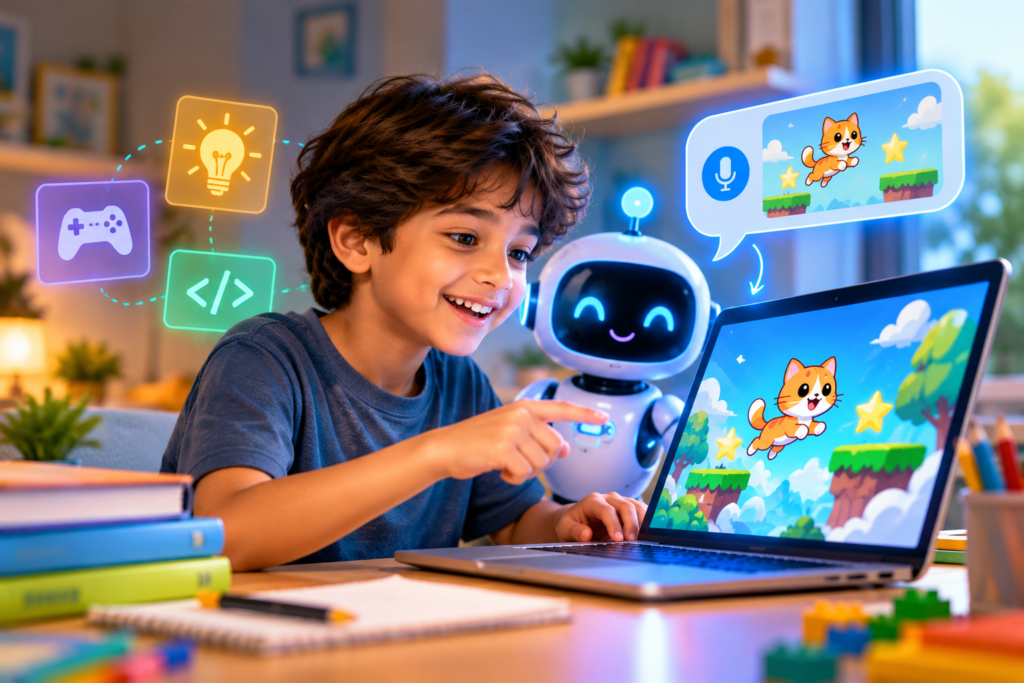
Picture a ten-year-old at the kitchen table saying, “Make me a game where a cat jumps over clouds and collects stars.”
A minute later, a playable game appears on the screen.
There are no semicolons, no syntax errors, and no tutorial—just an idea, spoken aloud, turned into software.
This is vibe coding, and it’s changing what it means to “learn to code.”
What Is Vibe Coding?
The term was popularized in early 2025 by AI researcher Andrej Karpathy. It describes building software by explaining what you want in plain language and letting an AI write the code.
You don’t start with syntax. You start with the vibe: what the project should look like, feel like, and do. Then you test the result, ask for changes—“make the cat faster,” “add a score counter”—and repeat.
For professionals, it’s a productivity shortcut. For kids, it could be something much bigger: a doorway into creating technology instead of just using it.
So, Can Kids Really Do It?
Yes, with some caveats.
Kids can build real, working things. Simple games, quizzes, drawing tools, countdown pages, and story generators are all within reach for a curious child who can describe what they want.
The old barrier—memorizing syntax before seeing anything fun—has largely disappeared.
Imagination Finally Meets Ability
Traditionally, a child’s ideas could far outrun their skills. A seven-year-old could dream up a multi-level adventure but had no way to build it.
With an AI collaborator, that gap shrinks dramatically, and the thrill of seeing your own idea come alive can be unforgettable.
But the AI doesn’t do everything.
Kids still need to think clearly, break ideas into steps, notice when something is wrong, and explain what they want precisely.
That is the real skill underneath, and it’s a valuable one.
What Kids Actually Learn
Critics worry that vibe coding skips the learning. In practice, a lot of learning still happens, just in a different order.
Clear Communication
Vague prompts get vague results. Kids quickly discover that “make it better” works worse than “make the button bigger and blue.”
Computational Thinking
Breaking a big idea—“a game”—into smaller pieces such as character, movement, score, and winning is the heart of programming, whether or not you type the code yourself.
Iteration and Debugging
When an app breaks, kids must figure out what went wrong and how to describe the fix.
That is debugging in a new outfit.
Creative Confidence
Perhaps most important, they learn that they can make things, not just consume them.
There’s also a subtle benefit: persistence.
A first attempt rarely works perfectly. Kids learn that the first result is a draft, not a verdict, and that refining an idea is normal.
The Honest Downsides
Vibe coding isn’t magic, and it’s worth being clear-eyed about the risks.
1. Black-Box Dependency
If a child never looks at the code, they may never understand how software works. Fundamentals still matter, especially for anyone who wants to become a professional developer.
2. Frustration When AI Gets It Wrong
AI makes mistakes, sometimes confidently. Kids can get stuck in loops of “fix this” without knowing why something is broken.
3. Quality and Safety
AI-generated code can contain bugs or security flaws.
For a personal game, that’s fine. For anything that collects data or goes online, adult oversight is essential.
4. Privacy and Age Rules
Many AI tools have minimum age requirements and collect data.
Parents and teachers should read the terms and choose kid-appropriate or supervised tools.
5. Passive Creation
There’s a risk of kids becoming “prompt-and-accept” users who never push themselves to understand or improve what they’ve made.
How Parents and Teachers Can Make It Work
The best results come when vibe coding is a conversation, not a vending machine.
Ask “Why?” and “How?”
After the AI builds something, ask your child to explain what each part might do. Even a rough guess builds understanding.
Peek Under the Hood
Look at the code together. Change a number and see what happens.
Curiosity is the bridge from vibe coding to real coding.
Start Small
A one-screen project with a single clear goal beats an overambitious game that never works.
Celebrate the Process
Debugging, redesigning, and rethinking are the real wins, not just the finished app.
Encourage Originality
Challenge kids to add something the AI wouldn’t have suggested, like a funny sound, a secret level, or a rule only they would invent.
Keep It Supervised
Especially with younger children, stay involved in tool choice, sharing, and anything that goes online.
Want Guidance Along the Way?
Vibe coding works best with a supportive adult.
LearnGate’s coding and AI programs for kids help children build with AI while still understanding what they’ve made, so creating leads to real learning.
Get in touch with LearnGate.
Project Ideas to Try This Weekend
If you’re wondering where to begin, here are a few starter prompts a child can try:
- “Make a quiz about dinosaurs with five questions and a score at the end.”
- “Create a drawing app where I can pick colors and make the brush bigger.”
- “Build a pet that gets hungry, and I have to feed it by clicking.”
Each one is small enough to finish in an afternoon, and each invites natural follow-up changes, which is where the learning happens.
Will Vibe Coding Replace Learning to Code?
Probably not, but it will change when and why kids learn it.
Think of calculators. They didn’t eliminate the need to understand math, but they changed how we teach it and what we do with it.
Vibe coding may work the same way.
Kids can start by creating, get hooked, and then dig into the fundamentals because they want to understand how their creations work.
In that sense, vibe coding might be the most motivating on-ramp programming has ever had.
Instead of starting with rules and waiting years for a reward, kids start with the reward and discover the rules along the way.
The Bottom Line
Can kids build apps just by talking to AI?
Yes, and it’s remarkable.
But the real opportunity isn’t skipping the learning.
It’s starting with the joy of making something, and letting curiosity do the rest.
The kid who builds a cat-and-clouds game today might be the one asking:
“Wait, how does this actually work?”
tomorrow.
And that question is where every great programmer begins.
Ready to Turn “I Made This!” Into “I Know How This Works?”
LearnGate is an educational institute offering AI, robotics, and coding for kids.
Get in touch to help your child go from creating with AI to truly understanding it.
Get in touch with LearnGate.
Have you tried vibe coding with a child? What did they build? Share your story in the comments.